

Fake Bank Login Page: 10-Second Check and What to Do Next
Spot a fake bank login page in 10 seconds, see our count of 76 Hong Kong fake-login alerts, and what to do if you typed your password or OTP.
In this article
- The 10-second check before you type anything
- Real vs fake: the signals that actually matter
- We counted Hong Kong’s fake login alerts: 76 in 45 days
- How fake bank login pages reach you
- Anatomy of real fake domains (as officials published them)
- The gambling trap: “log in to your bank to receive your winnings”
- Typed your password or OTP? Do this in the next hour
- FAQ
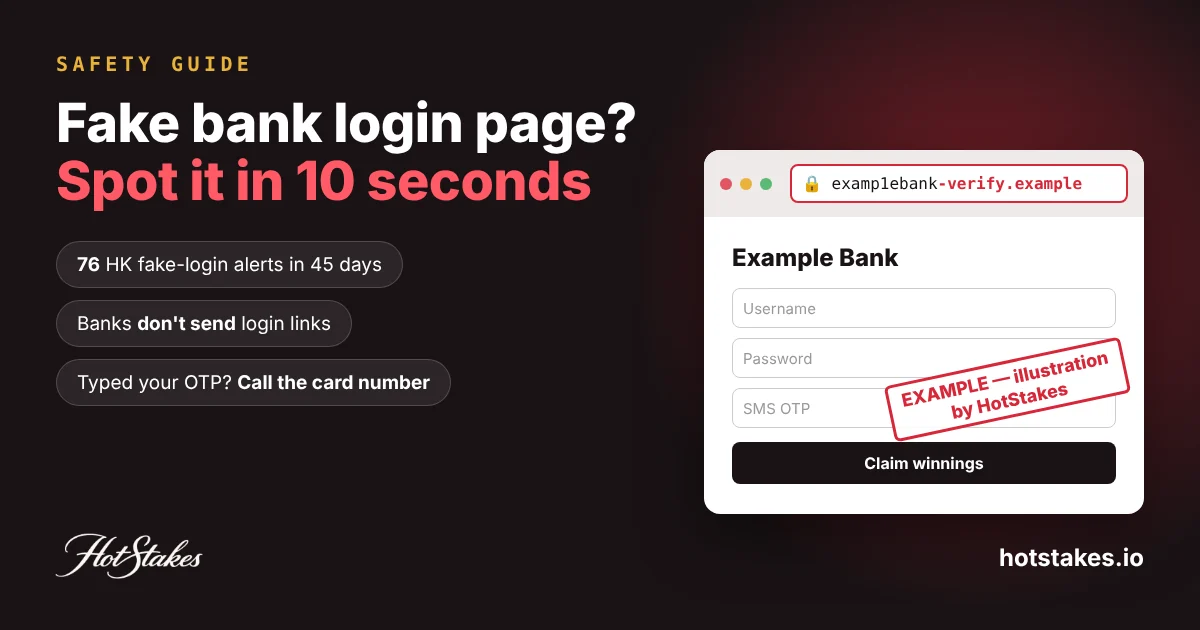
A fake bank login page usually looks exactly like the real one, so stop checking the logo. Check how you got there and what the address bar says. If a bank login opened from an SMS, an ad, a QR code or a “claim your winnings” page, close it: regulators in Singapore, Hong Kong and the Philippines say banks don’t send login links. Below: a 10-second check, real-vs-fake signals, our count of Hong Kong’s fake-login alerts, and what to do in the next hour if you already typed your password or OTP.
The 10-second check before you type anything
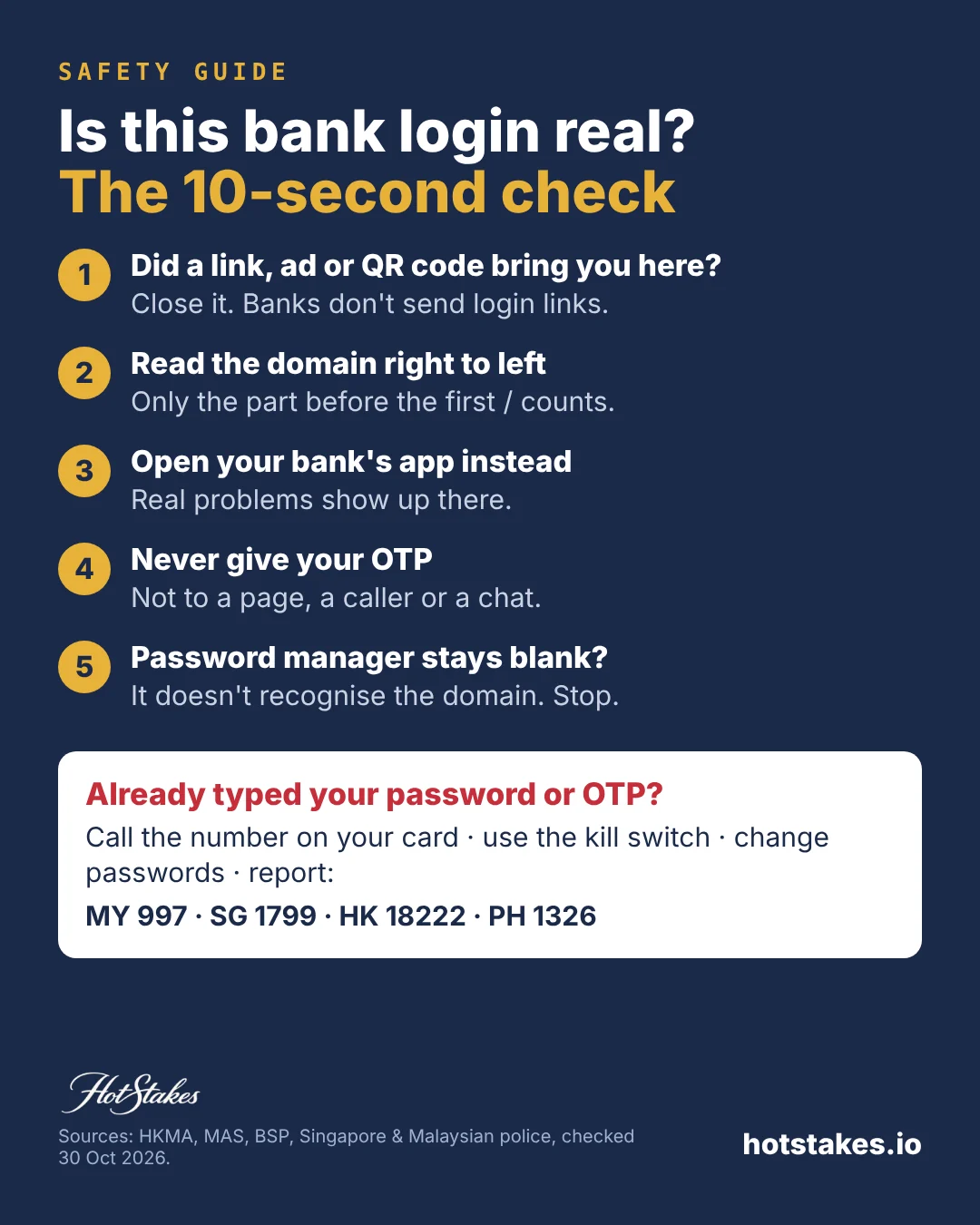
Run these five checks every time a bank login page appears in front of you. If any one fails, close the tab.
- How did you get here? If the page opened from an SMS, email, chat message, social ad, search ad or QR code, stop. Singapore’s banks agreed in 2022 to the “removal of clickable links in emails or SMSes sent to retail customers”. The Philippine central bank told banks to do the same under BSP Memorandum M-2022-015.
- Read the domain right to left. Look only at the part before the first single slash. Read it from the right: the last two pieces (three for endings like .com.my or .com.hk) name the real owner. Everything else is decoration.
- Open the app instead. Close the page and open your bank’s app or type the address you know. If there’s a real problem with your account, it will show there.
- Nobody gets your OTP. Hong Kong’s regulator says banks won’t ask for passwords or one-time passwords by phone, email or SMS, including through links.
- Watch your password manager. It fills in only on the domain where you saved the password. If it stays blank on a page that looks like your bank, treat that as a warning. The UK’s cyber security centre says password managers are “better than humans at spotting fake websites”.
Takeaway: the safest login is the one you start yourself, in the app.
Real vs fake: the signals that actually matter
Most top search results tell you to look for a padlock and spelling mistakes. Both are weak. The FBI warned that criminals are “banking on the public’s trust of ‘https’ and the lock icon”. And a cloned login screen copies the real one word for word.
| Signal | Real bank login | Fake bank login | Reliable? |
|---|---|---|---|
| How you arrived | You opened the app or typed the address | SMS, chat, ad, QR code, “prize” or “payout” page | Very |
| Domain | The bank’s own domain, exactly | Extra word, missing letter, or the bank’s name only in the path | Very |
| Password manager | Offers your saved login | Stays blank | Very |
| Security image or phrase (some Malaysian banks) | Shown before the password box | Missing or skipped. Maybank says don’t enter details without it | Good |
| What it asks for | Username and password, then approval in the app | Password, OTP, card number, ID number, all on one page | Good |
| Urgency | No countdown | “Account locked”, “unusual transaction”, “claim within 10 minutes” | Good |
| Padlock / https | Yes | Often yes | Useless alone |
| Spelling and design | Clean | Often clean too | Weak |
Takeaway: trust the route and the domain, not the look.
We counted Hong Kong’s fake login alerts: 76 in 45 days
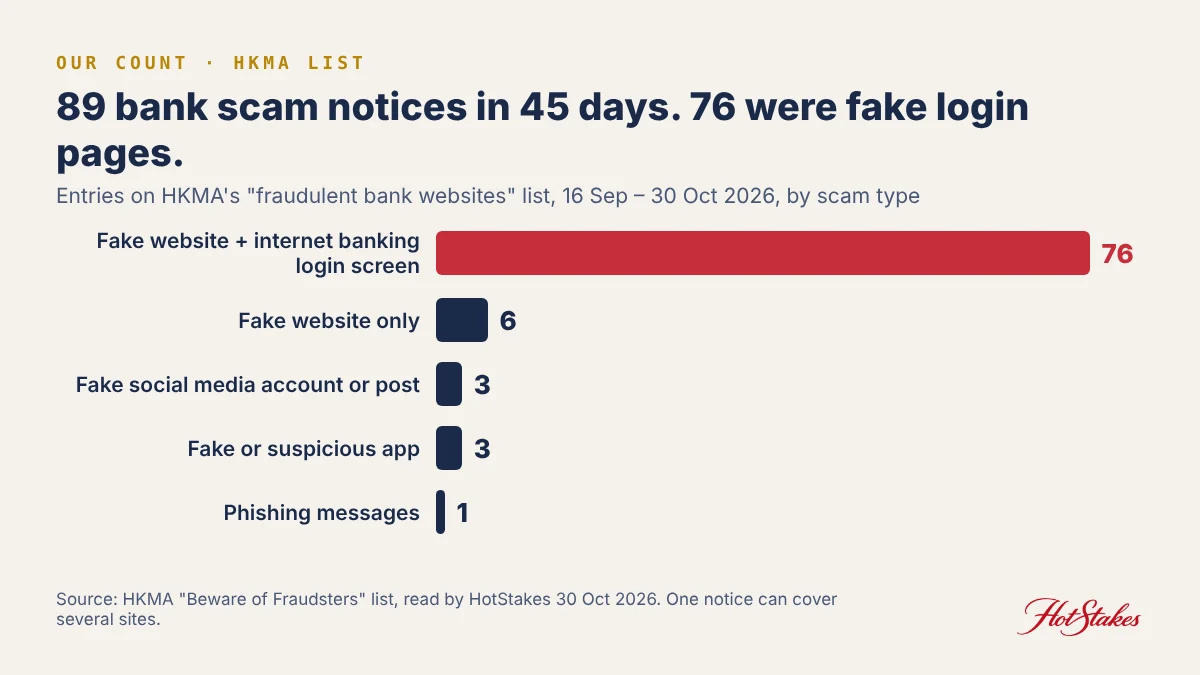
The Hong Kong Monetary Authority (HKMA) keeps a public list of bank press releases about fraudulent bank websites, phishing emails and similar scams. On 30 Oct 2026 we read every entry dated 16 September to 30 October 2026 and sorted them by the scam type the list gives.
- 89 notices from 13 banks in 45 days.
- 76 of them (85%) were for a fake website with a fake internet banking login screen.
- The rest: 6 fake websites without a login screen, 3 fake social media accounts or posts, 3 fake or suspicious apps, 1 batch of phishing messages.
- Fake login notices appeared on 20 different days in that window, almost 12 a week.
- Five banks filed 72 of the 76: Bank of East Asia (16), Chiyu (15), Chong Hing (14), Shanghai Commercial (14) and OCBC Hong Kong (13).
Two cautions. One notice can cover several fake sites, so this counts alerts, not sites. And a bank that reports often may simply be watching closely, not be less safe. Takeaway: a fake login page for a well-known bank is a routine event, not a rare one. The defence has to be a habit.
How fake bank login pages reach you
SMS and hijacked message threads
In April 2026, a Malaysian fact-check flagged an SMS posing as Maybank that pushed people to change their password at a lookalike link, sent from a +960 number. In the Philippines, scam texts have appeared inside real bank message threads, warning of an “unusual transaction”. The BSP calls this text hijacking and repeats that banks won’t send clickable links.
Search and social media ads
Singapore Police warned of scam ads on Google showing fake bank hotlines, with at least 15 victims losing S$495,000. Google began requiring financial advertisers targeting Malaysia to prove regulator approval from 14 April 2026. That helps, but don’t use a search result as your route to the bank.
QR codes
Malaysia’s police counted 5,134 QR code scam cases in the first half of 2026, with RM28.67 million lost, sending victims to fake websites, payment gateways or apps. Singapore’s police and cyber agency warn that some QR codes lead to phishing pages asking for banking credentials.
“Lucky draw” and payout pages
Singapore Police tied fake bank ads and lucky draws to fake bank websites asking for login details and OTPs. In early 2024, about 190 people lost at least S$521,000 to lucky draw scams that also tricked victims into giving up banking credentials.
Takeaway: any route you didn’t start yourself can end at a fake login.
Anatomy of real fake domains (as officials published them)
We shortened these with [.] so they can’t be clicked. All come from official or press-verified notices.
- A missing letter: mayban[.]com/newpassword, from the April 2026 fact-check above. The real site is maybank2u.com.my.
- Brand plus an extra word: bankofeastasia-uk[.]com, listed by the HKMA in 2015. Old, but the pattern still works.
- The bank’s name only in the path: the same notice shows a fake login at loginq[.]org/bankofeastasia-uk/login.php. The domain is loginq[.]org. The bank name after the slash means nothing.
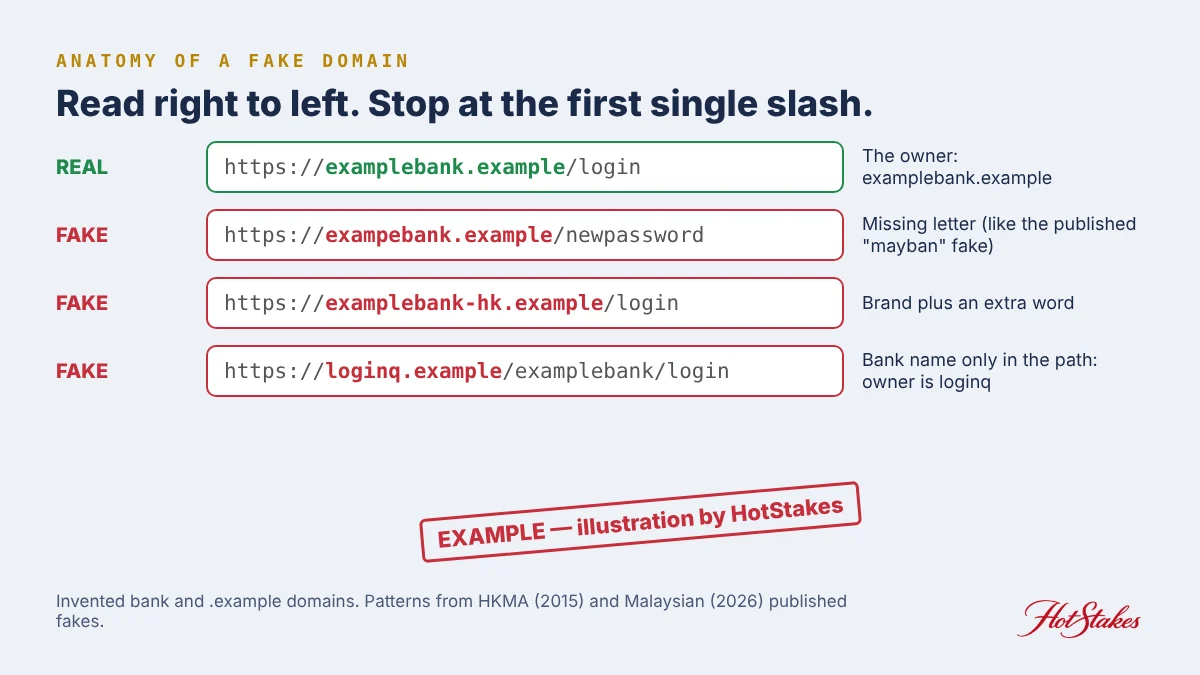
Takeaway: read the domain right to left, stopping at the first single slash.
The gambling trap: “log in to your bank to receive your winnings”
Gambling scams and bank phishing meet at the payout. A fake site shows a big balance, then asks you to “verify” your bank by logging in on its page. Or it sends you to a fake bank page during a “deposit”. The logic matches the prize scams police describe above: a reward first, then your banking login.
- Receiving money never needs your bank password or OTP. Anyone sending you funds needs your account number, not your login.
- A deposit page that jumps to a bank login is the moment to check the address bar. If the domain isn’t your bank’s, close it.
- A “fee” or “tax” before a withdrawal is a scam on its own. See our withdrawal fee scam script.
- Fake casino apps and login pages harvest passwords too. Our fake gambling app red flags and casino account security checklist cover them, and our guide to spotting an unlicensed online casino helps you check the site itself.
Takeaway: if a “payout” needs your bank login, there is no payout.
Typed your password or OTP? Do this in the next hour
- Call your bank’s fraud line now. Use the number on the back of your card or inside the app, never one from the page, an ad or a search result. Say “I entered my details on a fake website”.
- Freeze everything. Use the kill switch in your banking app if your bank has one. Singapore’s ScamShield says it can “immediately freeze all your current and savings accounts”. Bank Negara Malaysia lists a kill switch among measures major banks put in place. Our online banking lock guide shows where to find it.
- Change your banking password and PIN from the app or a trusted device. If you reused that password anywhere, change it there too.
- Check for new payees, new devices and changed contact details. Ask the bank to remove anything you didn’t add.
- Report it to the scam centre in your country (table below), and make a police report if money moved.
- Keep evidence: the SMS, the link text, screenshots, times and amounts.
- Ignore anyone who offers to “recover” the money for a fee. That’s the next scam. See our recovery scam explainer.
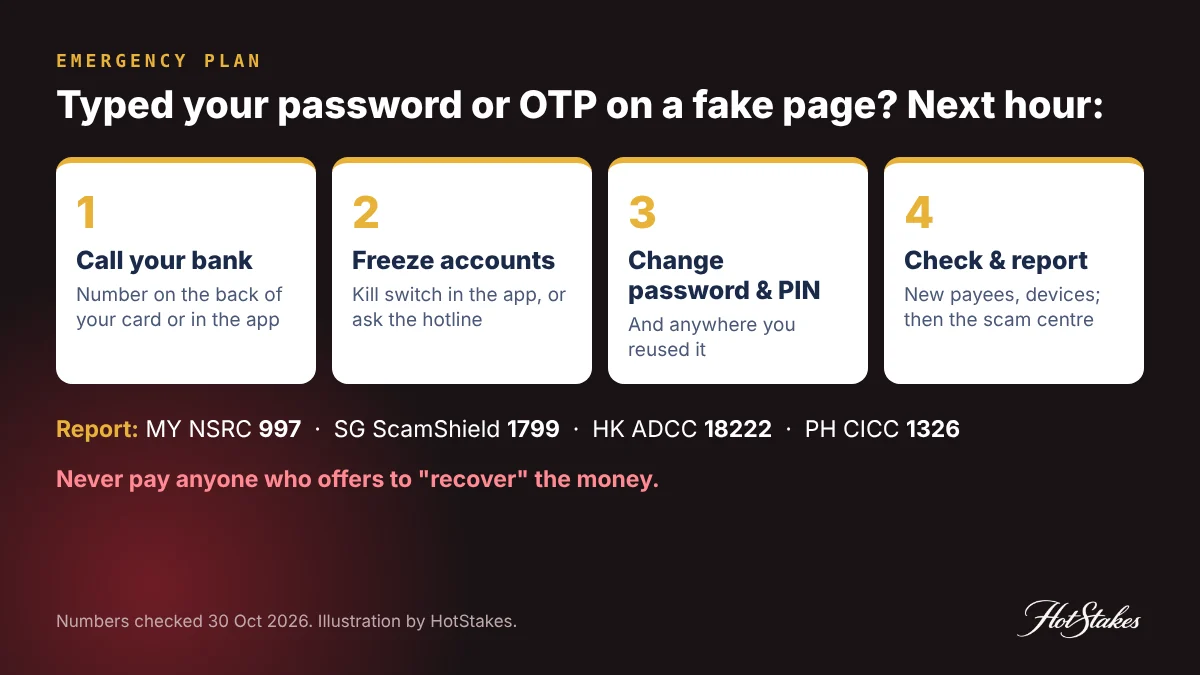
| Country | Call first | Then report to |
|---|---|---|
| Malaysia | Your bank’s fraud line | National Scam Response Centre 997, 24 hours |
| Singapore | Your bank’s hotline (ScamShield lists them) | ScamShield Helpline 1799, 24/7; police report online or 999 if urgent |
| Hong Kong | Your bank’s hotline | Anti-Scam Helpline 18222, 24 hours; police Crime Wing Information Centre 2860 5012 (per HKMA) |
| Philippines | Your bank’s hotline | CICC National Anti-Scam Hotline 1326 |
Not sure if a site is fake? In Hong Kong, the police-run Scameter checks URLs, phone numbers and payment accounts. A “no record” result doesn’t mean safe. Our scam help tool lists more contacts. Takeaway: speed matters most. Call the bank before you do anything else.
FAQ
How do I spot a fake bank login page quickly?
Ask how you got there. If a link, ad, QR code or payout page brought you, close it and open your bank’s app. Then read the domain right to left, and notice if your password manager stays blank.
Does a padlock mean the bank website is real?
No. The padlock only means the connection is encrypted. The FBI has warned that criminals use https and the lock icon on phishing sites.
I entered my bank details on a fake website. What now?
Call your bank’s fraud line from the number on your card, freeze your accounts with the kill switch if you have one, change your password and PIN, then report to your national scam centre.
Will my bank ever send me a login link by SMS?
Banks in Singapore and the Philippines were told to remove clickable links from customer SMS and email, and Hong Kong’s regulator says banks won’t send SMS or emails with embedded links for transactions. Treat any login link as fake.
A casino says I must log in to my bank to receive winnings. Is that real?
No. Receiving money never needs your bank password or OTP. A page that asks for them to release a payout is a phishing page.
HotStakes is an independent directory. Some links on this site are affiliate links; we may earn a commission at no cost to you, and it never changes our rankings. Gambling involves risk — only play with money you can afford to lose, and if it stops being fun, seek help. This article is general information, not legal advice. Read our full disclaimer.
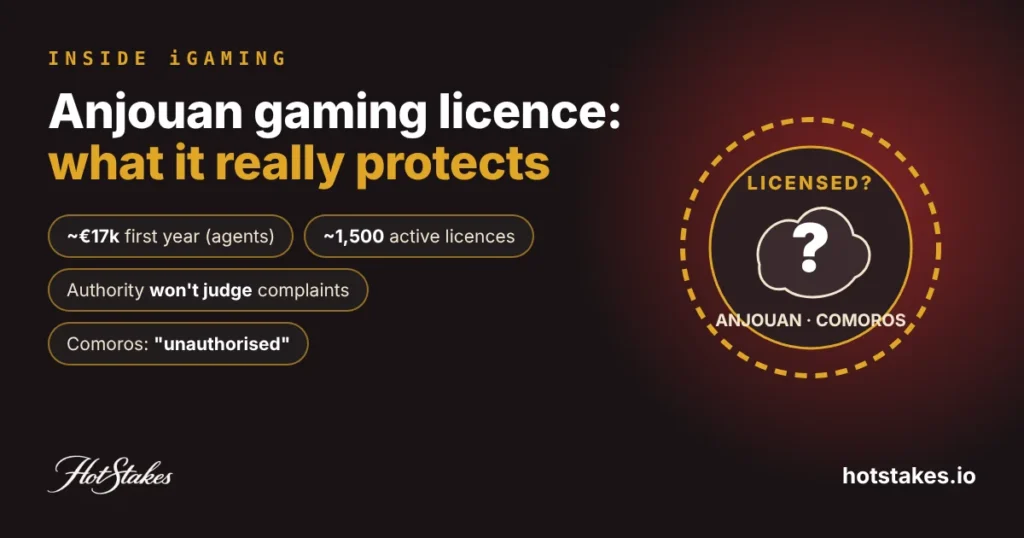 Next story →Anjouan Gaming Licence Explained: What It Really Protects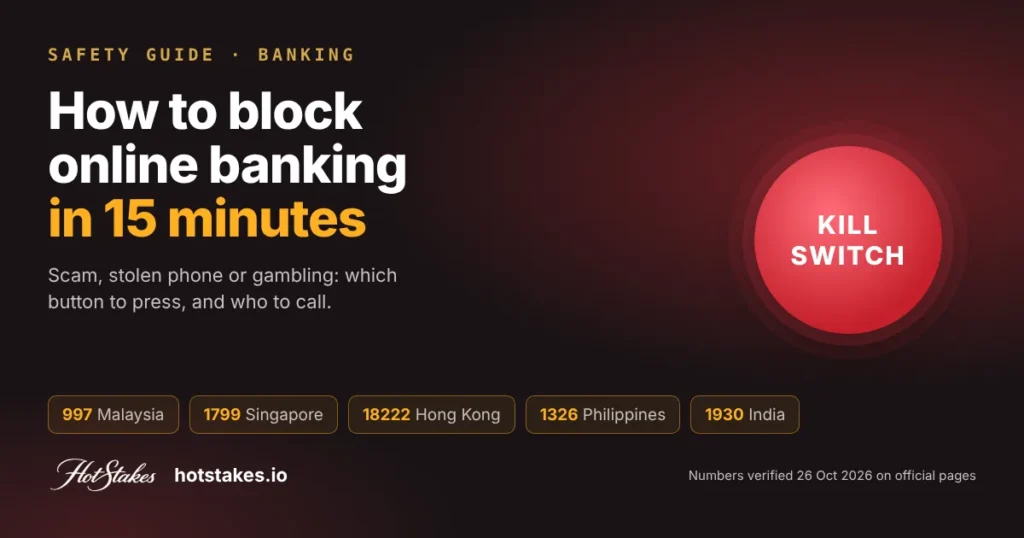
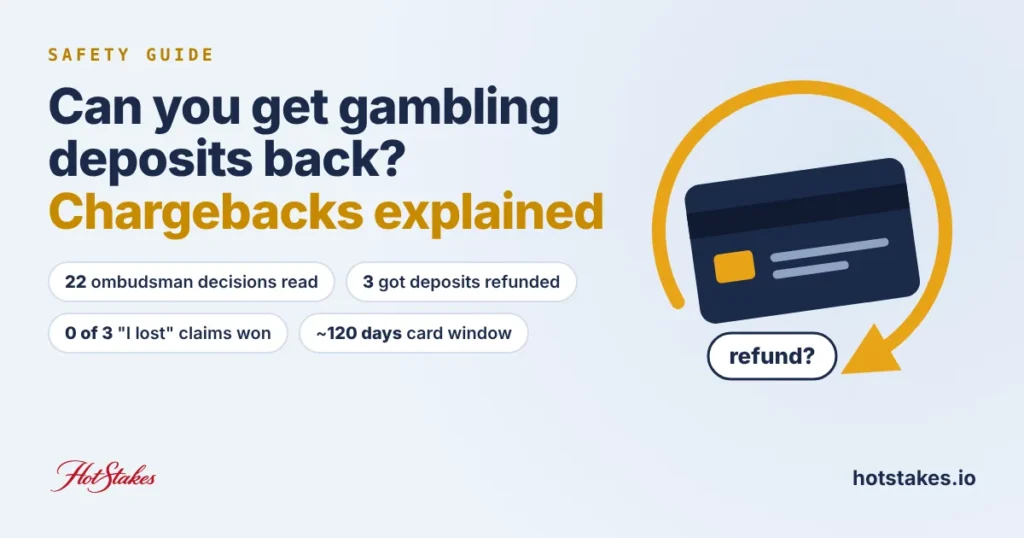

Start the discussion