

APK Scam Script: How a Facebook Ad Empties Your Bank
APK scam script: a fake Facebook ad, an app link, then a fake bank call. The 5 stages, red flags and what to do in 10 minutes. 997 / 1799.
In this article
- What Singapore police just warned about
- THE SCRIPT: the 5 stages of an APK scam, with EXAMPLE lines
- Real app install vs APK scam
- Already installed it? Do this in the next 10 minutes
- The same playbook in Malaysia and Hong Kong
- For adult children: a 15-minute setup for a parent’s phone
- Where to report an APK scam
- FAQ
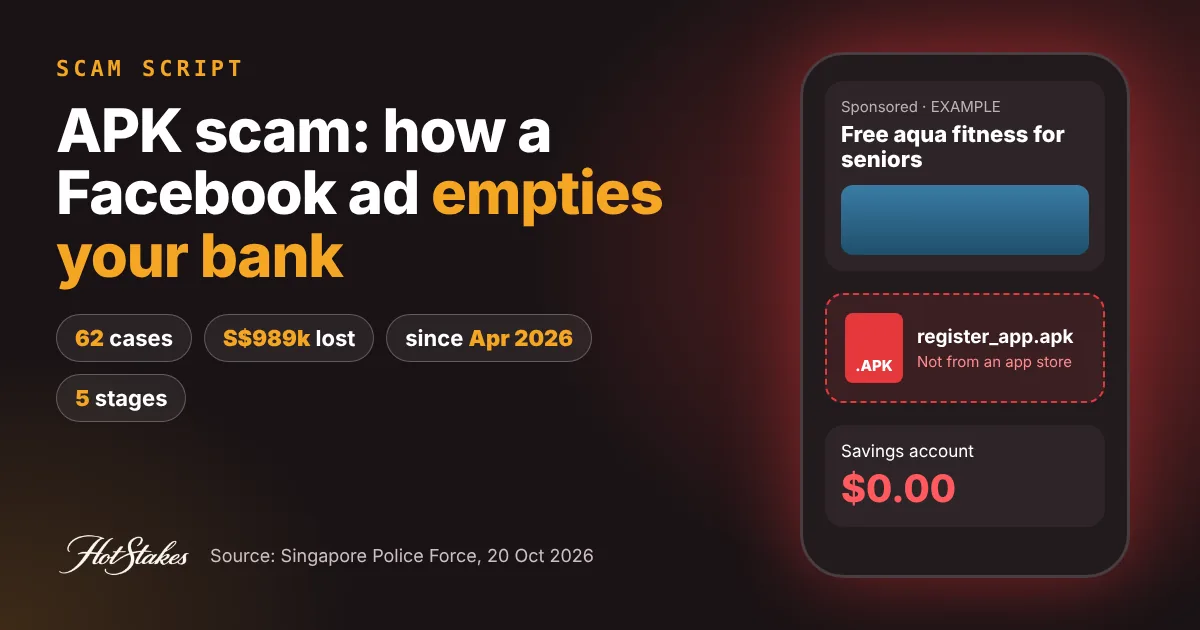
An APK scam starts with a harmless-looking Facebook ad and ends with your bank account drained. You are asked to “register” through an app file sent by link instead of the official app store. Then a fake bank officer or government official calls, and the money moves. The rule that breaks the whole script: never install an app from a link, and hang up on any “official” who calls after you did. Below are the five stages, short EXAMPLE lines so you can recognise each one, and what to do in the first 10 minutes if you already tapped install.
What Singapore police just warned about
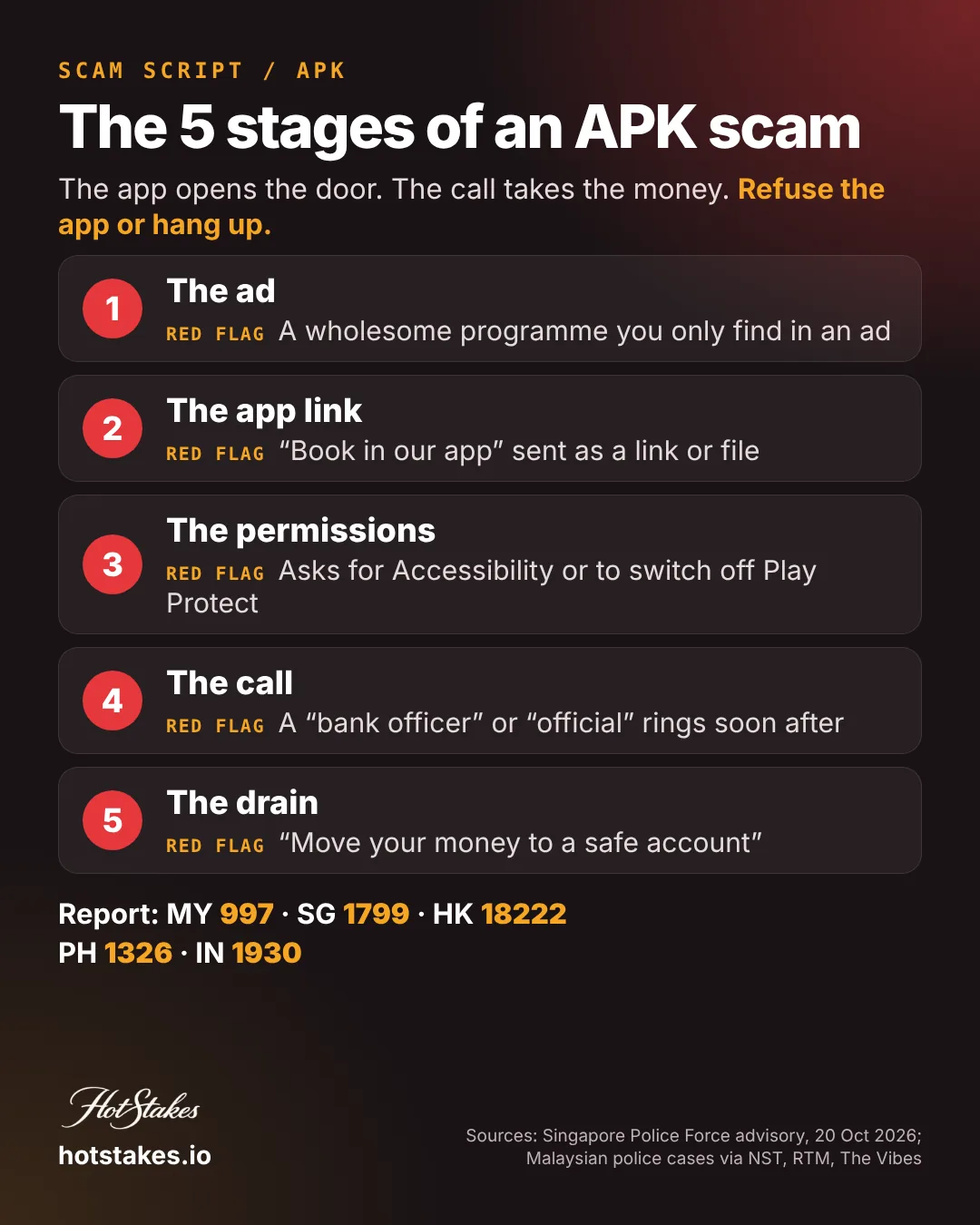
On 20 October 2026 the Singapore Police Force flagged a malware-enabled scam spread through social media ads, for example on Facebook. Since April 2026, at least 62 cases have been reported, with losses of at least S$989,000.
The ads promoted three kinds of things:
- Senior-focused activities and programmes
- Water-based fitness activities
- Recycling initiatives
Victims were told to download an Android Application Package (APK) file to register. Then came unsolicited calls from people posing as government officials or bank staff. They claimed the victim’s device or account was compromised, or that the victim was linked to a crime. Victims were pushed to transfer money, share banking details or hand over valuables “for investigations”. In some cases the malware itself made unauthorised transactions, and victims only found out when they saw them. The Star carried the same figures.
Takeaway: this wave did not use “too good to be true” offers. It used ordinary, wholesome ones, which is exactly why it works on careful people.
THE SCRIPT: the 5 stages of an APK scam, with EXAMPLE lines
The lines below are short, invented EXAMPLE lines built from police warnings. They are not quotes from real cases, and they are deliberately incomplete. They exist so you, or your parents, recognise the tone in time.
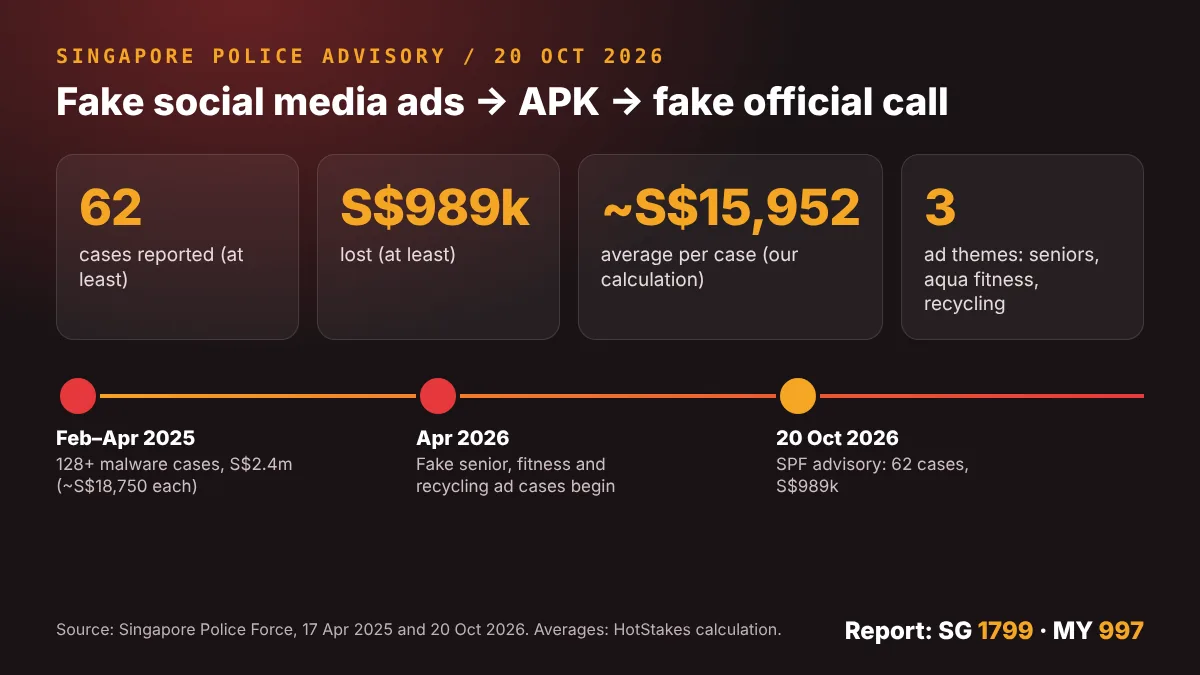
Stage 1: The ad
EXAMPLE: “Free aqua fitness for seniors 60+. Limited slots this month.”
EXAMPLE: “Join our recycling rewards programme. Sign up in our app.”
Red flag: a community programme you have never heard of, found only through a social media ad, with “register” pointing to a chat or a link rather than an official website.
Do this instead: look the organiser up yourself, through a website or phone number you find independently. SPF advises confirming ads, companies and organisations “through official channels”. In Singapore you can also call the ScamShield Helpline 1799 to check. Scammers also run fake ads with famous faces; see our explainer on deepfake celebrity ad scams.
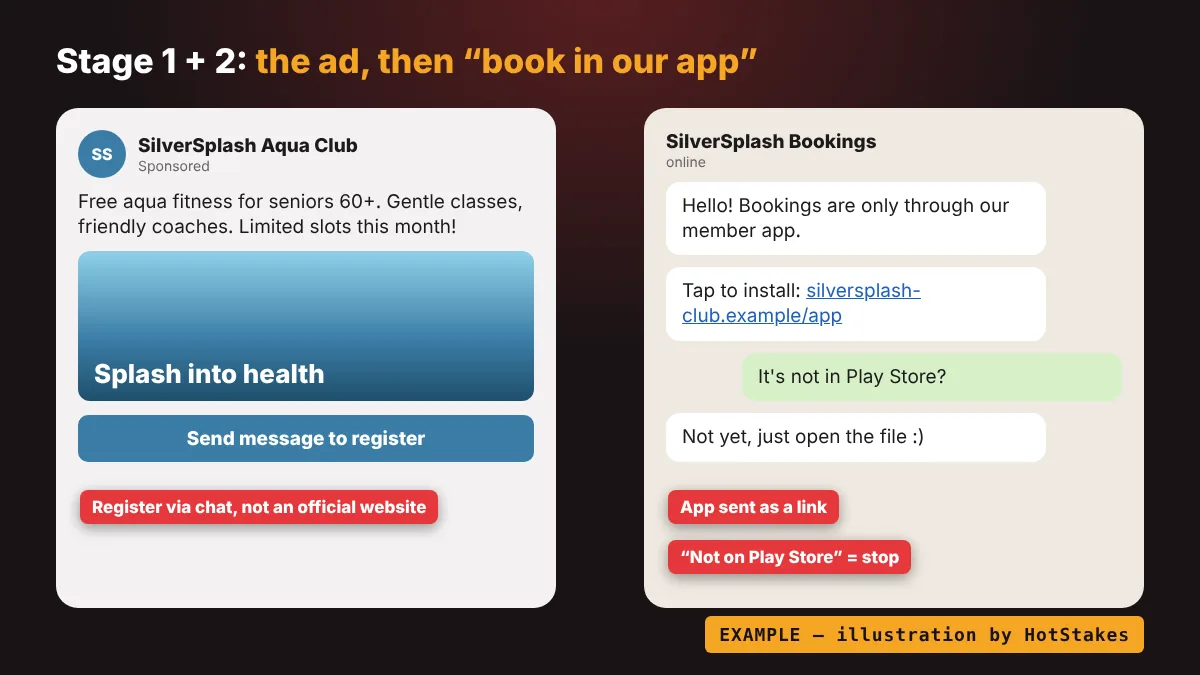
Stage 2: The chat and “download our app to book”
EXAMPLE: “Bookings are only through our member app. Tap this link to install.”
EXAMPLE: “It’s not on Play Store yet, so just open the file.”
Red flag: any app sent as a link or file over WhatsApp, Messenger or SMS. That is what an APK is: an Android app installed from outside the store. Google says over 95% of installs of major fraud-malware families it analysed came from these internet sources, such as browsers, messaging apps and file managers (Google Security Blog).
Reply instead: “I only install from the official app store. If you’re not there, I’ll skip it.” Then stop replying. Do not open the file “just to look”.
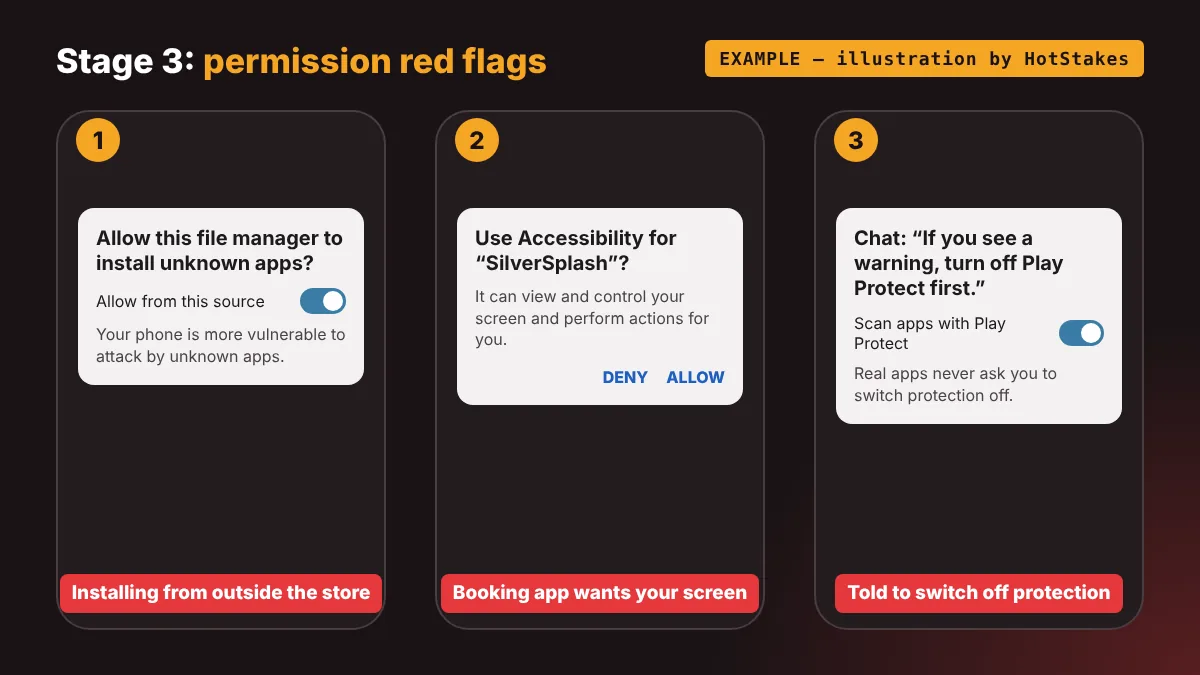
Stage 3: The permission screen
EXAMPLE pop-up: “Allow this app to use Accessibility so it can help you read the screen.”
EXAMPLE chat line: “If you see a warning, turn off Play Protect first.”
Red flag: a booking app wants to read your screen, your SMS or your notifications, or you are told to switch off a safety warning. Those are the permissions scammers use to see one-time passwords and watch the screen. Google’s Singapore pilot blocks sideloaded apps that ask for SMS, notification or Accessibility access for that reason. SPF’s 2025 advisory adds that victims were sometimes told to disable Google Play Protect, so they stop getting alerts.
Do this instead: tap Cancel or Deny. A warning from your phone is not an error to work around. It is the phone doing its job. Real apps never need you to turn protection off.
Stage 4: The fake bank or government call
EXAMPLE: “This is your bank’s fraud team. Your account has been compromised.”
EXAMPLE: “Your identity is linked to a money-laundering case. I will transfer you to the police.”
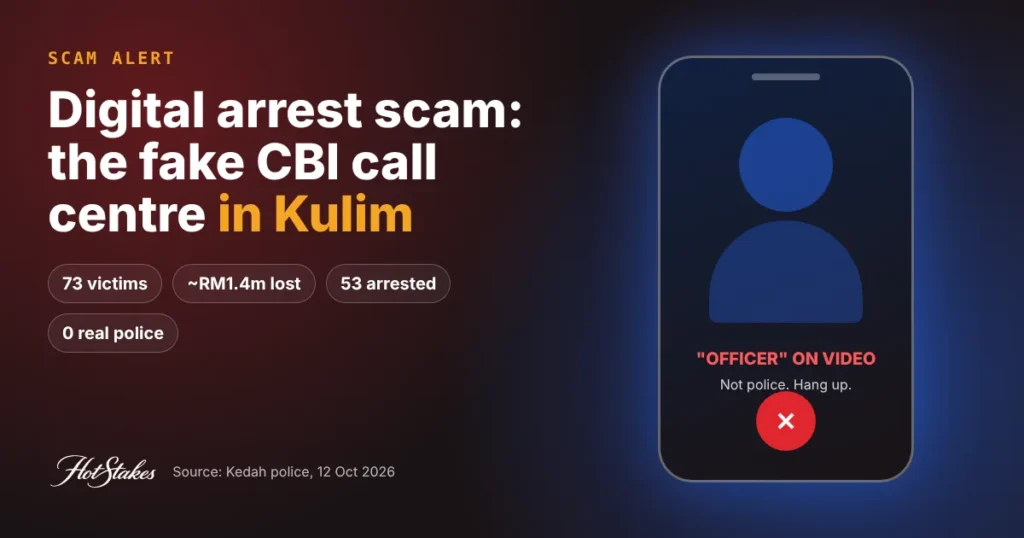
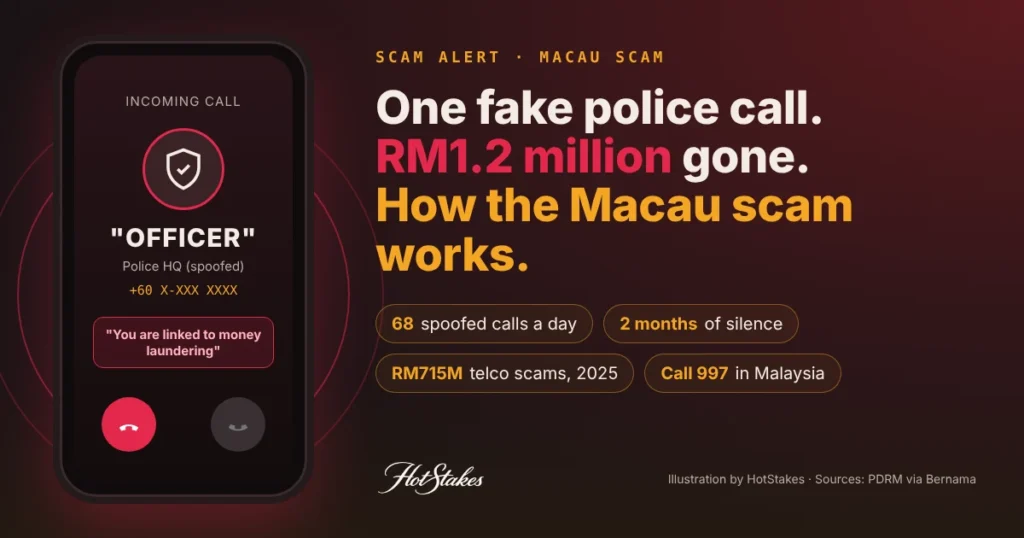
Red flag: a call that arrives out of the blue soon after you installed something, with fear plus urgency. SPF is blunt: government officials will never ask you to transfer money or valuables, disclose banking logins, install apps from unofficial stores, or transfer your call to the police. This is the same playbook as the Macau scam and the “digital arrest” video call.
Do this instead: hang up. Call your bank yourself on the number printed on your card or on its official website, ideally from a different phone.
Stage 5: The drain
EXAMPLE: “Move your savings to a safe account while we investigate.”
EXAMPLE: “Leave the gold with our officer for verification.”
Red flag: any request to move money “for safety”, share an OTP, or hand over cash, gold or watches. Also: bank alerts for transfers you did not make. SPF says victims often only discover the scam when they see unauthorised transactions.
Do this instead: never move money on a caller’s instructions. If money has already left, follow the 10-minute list below. Money taken this way often passes through borrowed bank accounts; our guide on money mule accounts explains why you should never lend yours.
Takeaway: two moments decide everything. Refuse the app file at stage 2, or hang up at stage 4. Either one breaks the script.
Real app install vs APK scam
| Check | Real app install | APK scam |
|---|---|---|
| Where you get it | Google Play or the App Store, searched by you | A link or file sent in chat, SMS or an ad |
| Who suggests it | You, or an organiser you found independently | A “customer service” agent you met through an ad |
| What it is called | A store listing with a known publisher | A downloaded file, often ending in .apk |
| Phone warnings | Usually none | “Unknown app” or Play Protect warning |
| Instructions about safety | Never asks you to switch protection off | “Turn off Play Protect” or “allow unknown apps” |
| Permissions | Match what the app does | A booking app wants Accessibility, SMS or notifications |
| What happens next | Nothing unusual | A call from a “bank officer” or “official” |
Takeaway: if the app did not come from a store you opened yourself, treat it as a scam until proven otherwise.
Already installed it? Do this in the next 10 minutes
These steps follow SPF’s malware advisory and the 2026 advisory’s advice to contact your bank immediately. Speed matters.
- Switch the phone to airplane mode and keep Wi-Fi off. This cuts the scammer’s connection to your phone.
- Use a different phone to call your bank’s official hotline (the number on your card or its website). Ask them to block cards and online banking and check for transfers.
- Report it fast. Malaysia: call NSRC 997, ideally within 24 hours. Singapore: call the ScamShield Helpline 1799 and lodge a police report.
- Check your accounts from a different device. In Singapore, SPF lists bank, Singpass and CPF accounts.
- Do not factory reset the phone yet. SPF says to keep it in flight mode and not reset it before reporting, as this could hinder investigations.
- Ignore any new calls from “officials” or “bank staff”. Only deal with numbers you dialled yourself.
- After reporting: run an anti-virus scan, consider a factory reset, and change important passwords from a clean device.
Takeaway: airplane mode, bank, report. In that order, before anything else.
The same playbook in Malaysia and Hong Kong
Malaysia has seen this script for years. The bait changes; the steps do not.
- Tangkak, Johor (reported December 2024): a man downloaded an APK from a Facebook ad for an app to buy groceries and kitchen supplies. He lost RM138,580 from two bank accounts, noticed about three hours later, police said (NST).
- Melaka (July 2022): a trader saw a Facebook ad for house cleaning at RM50 for five hours, installed the “booking” app from a link and paid a RM10 advance. About 30 minutes later, RM4,700 left her account (The Vibes).
- Penang and Johor (June 2024): Bukit Aman’s commercial crime department said an alleged “Trojan Spymax” syndicate offered goods and services on Facebook and Instagram, then sent APK links. Police said the malware could reach OTP messages and control the phone remotely. Two men were held after a joint probe with Singapore police (RTM).
- Kuala Lumpur (March 2023): a Bukit Aman team detained seven people over an alleged syndicate that lured victims into downloading an APK via a buy-and-sell platform (The Vibes).
In Hong Kong, police said in November 2023 that at least six victims lost HK$680,000 after clicking ads for discounted travel, electronics and fuel. A WhatsApp “customer service” agent told one man to download an app to register for the discount (The Standard). Fake casino apps follow a similar route; see our fake gambling app red flags.
Takeaway: cleaning, groceries, travel, aqua fitness. The offer is a costume. The “download our app” step is the scam.
For adult children: a 15-minute setup for a parent’s phone
The 2026 Singapore wave targeted seniors on purpose. A short visit can close most of the doors:
- Keep Google Play Protect on and leave “install unknown apps” switched off for browsers and chat apps.
- Set a low daily transfer limit and turn on two-factor authentication for banking, as SPF advises.
- In Singapore: install the ScamShield app and consider Money Lock, which sets savings aside so they are “inaccessible for digital transfers” (Fintech News SG).
- Save the real numbers in their contacts: the bank hotline from the card, plus 997 or 1799.
- Agree one family rule: “No app from a link. Call me first.” Repeat it until it sounds boring.
Then try our scam quiz together. It takes a few minutes and makes the red flags stick.
Takeaway: you cannot stop every ad, but you can make sure an app from a link cannot install quietly and a call cannot empty everything.
Where to report an APK scam
We re-checked each number on official or news pages on 26 October 2026.
| Country | Number | What it is |
|---|---|---|
| Malaysia | 997 | National Scam Response Centre, daily 24 hours; call within 24 hours of finding the scam (MyGOV) |
| Singapore | 1799 | ScamShield Helpline, 24/7; also contact your bank and make a police report (SPF) |
| Hong Kong | 18222 | ADCC Anti-Scam Helpline, 24 hours, for advice; report cases at a police station or call 999 in an emergency (ADCC) |
| Philippines | 1326 | CICC Inter-Agency Response Center, round the clock (PNA) |
| India | 1930 | National Cyber Crime Reporting Helpline, 24 hours, plus cybercrime.gov.in (Kerala Police) |
If the scam started with an online “relationship” or investment chat instead of an ad, read our pillar guide to pig-butchering scams. And if anyone asks to “borrow” your account to receive money, that is a money mule request.
Takeaway: call your bank first, then the national number. Minutes count when money is moving.
FAQ
What is an APK scam?
It is a scam where you are tricked into installing an Android app file (APK) from a link instead of the official app store. The app can give scammers access to your phone, and is often followed by a fake bank or government call to take your money.
How do I know if an app link is an APK scam?
If anyone sends you an app as a link or file in chat, SMS or an ad, treat it as a scam. Real organisers use Google Play or the App Store, and never ask you to turn off Play Protect.
I installed the app. Should I factory reset my phone?
Not straight away. Singapore police advise switching to flight mode, calling your bank from another device and reporting first, because a reset before reporting can hinder investigations.
How much have victims lost in Singapore?
Singapore police said at least 62 cases and at least S$989,000 in losses since April 2026 in this ad-based wave. That averages about S$15,952 per case in our calculation.
Where do I report an APK scam in Malaysia?
Call the National Scam Response Centre on 997 as soon as possible, ideally within 24 hours, then contact your bank and lodge a police report.
HotStakes is an independent directory. Some links on this site are affiliate links; we may earn a commission at no cost to you, and it never changes our rankings. Gambling involves risk — only play with money you can afford to lose, and if it stops being fun, seek help. This article is general information, not legal advice. Read our full disclaimer.
 Next story →Gambling Urge? What to Do in the Next 30 Minutes
Start the discussion